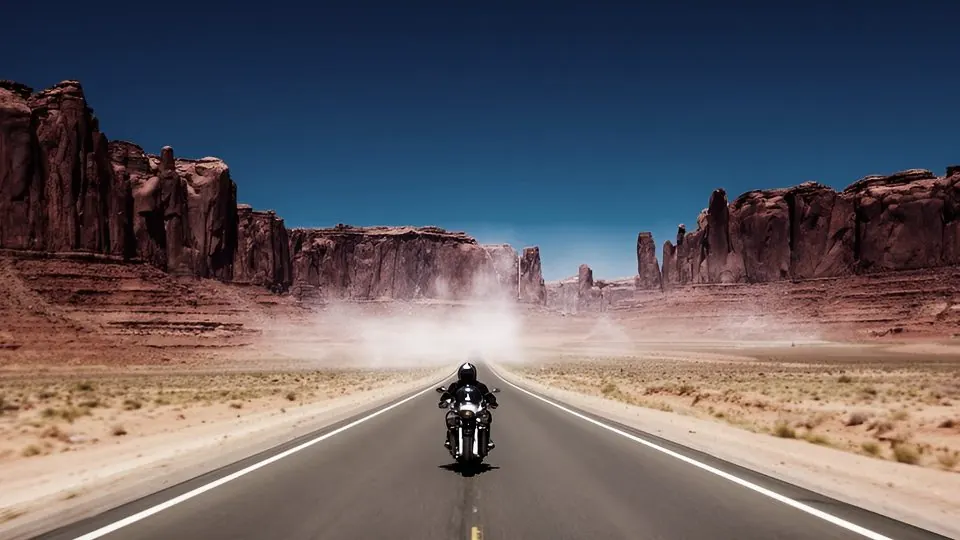
 Before · AI clipAfter · Bleach Bypass
Drag the frame to compare. The preview applies the shipped .cube file live in your browser — what you see is what you download.
Prompt suffix
Append to your Kling, Veo, Seedance or Sora prompt so the clip is generated closer to this look.
, silver retained, crunchy contrast, metallic low saturation, shot on 35mm motion picture film, Cooke anamorphic lenses, soft highlight roll-off, natural film grain, gentle halation around highlights, organic colour, slight gate weave
Install
- 01Select your clip (or an adjustment layer above several clips) and open Window → Lumetri Color.
- 02Under Creative → Look, choose Browse… and pick a file from “01 Rec709 - AI footage”.
- 03Lower Creative → Intensity to 50–70 if the look is too strong for your clip. The “Soft 60” folder is the same look pre-mixed at 60%.
- 04Shot in log on a real camera? Put the matching file from “03 Log” in Basic Correction → Input LUT instead, and leave Creative empty.
Related
All items →
 BeforeFree
Daylight 250D
Film stocksA modern daylight negative printed soft — the honest film look.
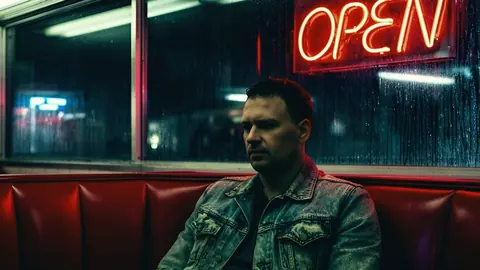
 Before
Tungsten 500T
Film stocksFast tungsten stock under mixed light: cyan shadows, creamy highlights.

 Before
Portrait 400
Film stocksGentle portrait negative — peach skin, pastel greens, soft contrast.

 Before
Gold 200
Film stocksConsumer gold film: sunny yellows, warm whites, punchy reds.